From Shop Photo to Video – Right from Claude
Many small shops have great products but little time for video. Often all there is is a quick phone photo from the shop counter. With Weekloop in Claude, that photo becomes a short video, and you direct every step in the chat.
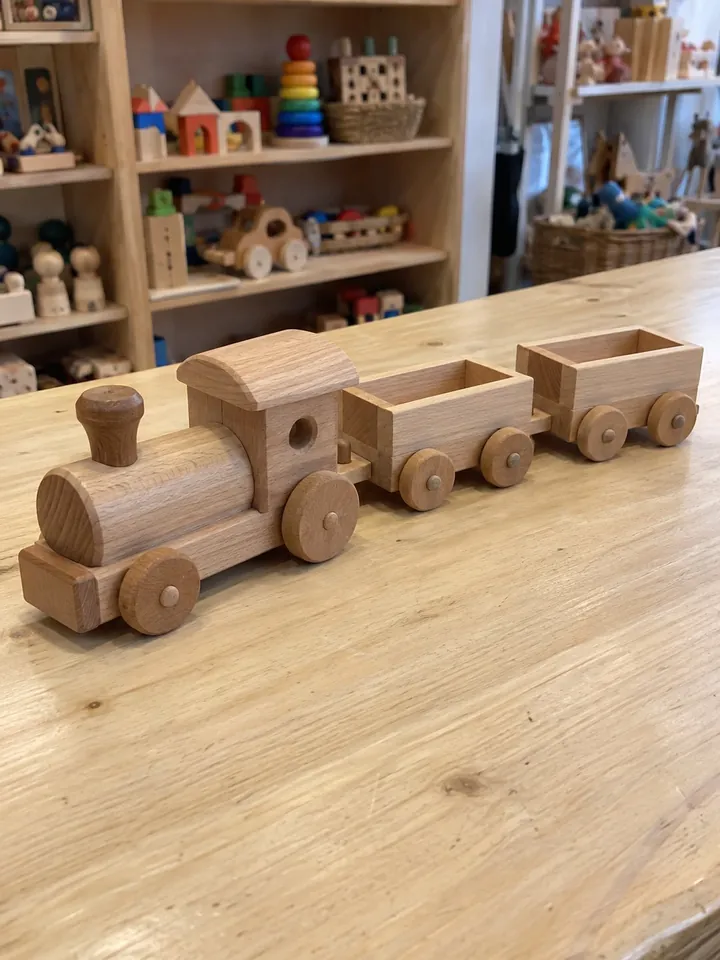
We show this with an example: a wooden toy train with a locomotive and two wagons, photographed in the shop. The end result is a finished video with voice-over, music and captions. All numbers come from a test run with a test account on October 2, 2026.

What you need
You need Claude and a Weekloop account. The two are linked through a connector. For images and videos, that is the full connector at https://mcp.weekloop.ai/mcp. A second connector for the Claude directory is in preparation. It plans, writes and approves, but does not create images or videos.
You add the full connector to Claude yourself. The quickest way is this link. It opens Claude with the right form, with name and address already filled in.
In Claude, click Add and then Connect. You sign in to Weekloop and allow access. Claude never sees your password. All steps, including the way without the link, are in the guide Weekloop in Claude. Scene images and video projects are available from the Business plan up and in the free 14-day trial. Details are on the pricing page.
From shop photo to scene image
First, the photo goes to Weekloop. You give Claude the address of the image, for example from your online shop. Claude adds it to your Weekloop media library. This uses no credits. If the photo is already in the media library, Claude uses it directly.
Then you ask for a scene image, for example:
“Place the wooden train from the photo in a bright children’s room. A child is playing with it on the rug, soft daylight.”
Weekloop creates a new AI image from this. The shop photo serves as the reference, so your train stays recognizable. Before any credits are used, Claude asks for your confirmation. In our test, the scene image cost 1.5 credits. It is then saved in your media library as well.
The images become a video
Now you turn the images into a video project. Each image becomes a scene, and up to ten images are possible. For example:
“Make a short vertical AI video from the shop photo and the scene image. With voice-over, calm music and captions. At the end: Visit us in the shop.”
The AI drafts the voice-over text and the directions for each scene. This uses up to 2 credits. The project is then a draft; nothing is produced yet.
Claude shows you the script: what can be seen in each scene and what is said. If a sentence does not fit, you change it in the conversation. When everything is right, you approve the script. Without this approval, no production starts.
Before the start, Claude shows the length and the estimated credits. Production only begins after your explicit consent. You can ask about the progress in between. Once the video is finished, you get a private link and watch it. If you like it, you accept it. The acceptance is saved in Weekloop.
Nothing is published or scheduled through Claude. The finished video stays private in Weekloop. Publishing and scheduling happen there, after your approval.
Cost and time in our test
This is how our test run on October 2, 2026 went:
- Scene image: 1.5 credits
- AI draft for voice-over and scenes: up to 2 credits
- Production of a 12-second AI video with two scenes: estimated 23 credits, used 26 credits
- Production time until the video was ready: about 12 minutes
For production, Weekloop reserves a budget above the estimate. Whatever is not needed goes back to your account when production ends. That is what happened in our test, too.
These figures are an example, not a guarantee. How many credits a video needs depends mainly on its length and the motion in the scenes. You see the current estimate in the chat before every start.
Frequently asked questions
Can Claude publish the video for me?
No. Nothing is published, scheduled or sent through Claude. The video stays private in Weekloop until you approve it there.
Which Claude plan do I need?
According to Anthropic, custom connectors are available on every Claude plan; the Free plan allows one. In Weekloop, you need a plan with video projects, that is Business or Creator. The free 14-day trial is enough to try it.
Is Weekloop also available in ChatGPT?
Yes. In ChatGPT you plan and write with Weekloop and approve proposals. The steps in this article describe the full connector in Claude.