Features
Everything your marketing needs
Weekloop plans, writes and designs for you. You approve. Here you can see what it creates and how it works.

Your marketing team
One workflow, eleven tools
Every illustration here was created with Weekloop.
-
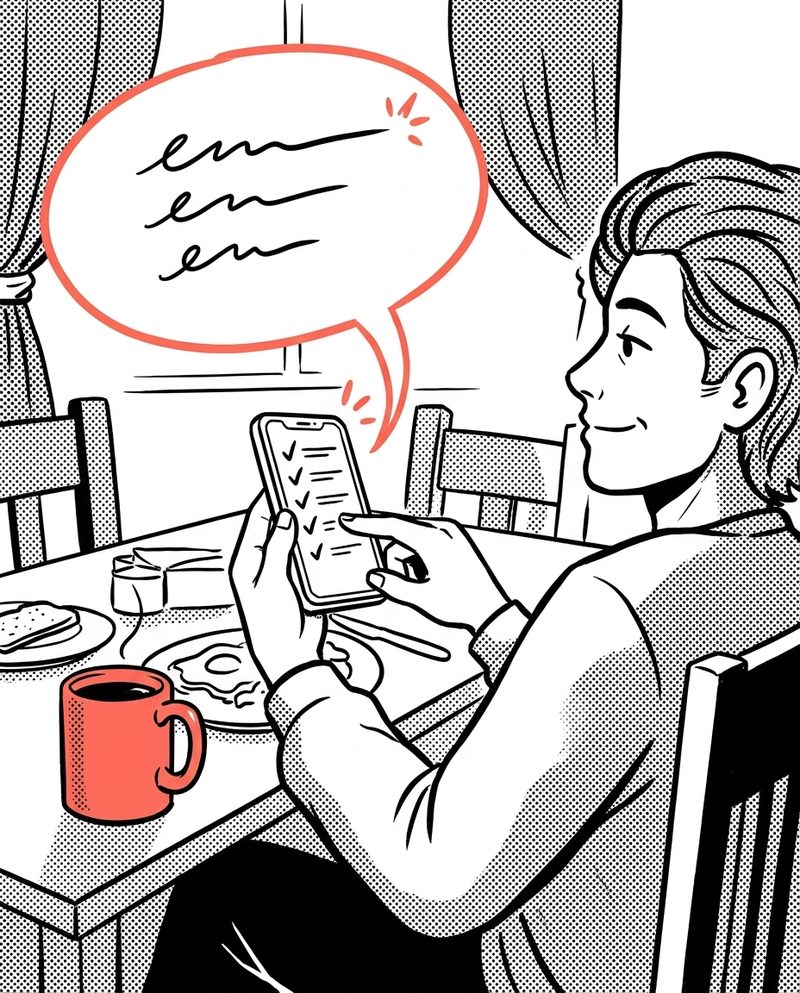
Spark weekly plan
Monday, 9 am: your content for the week is waiting for approval.
-

Social Studio
Posts and carousels in your style, all of a piece.
-

Reels and video
Multi-scene videos and reels, straight from the platform.
-

Auto-cutting (beta)
Raw footage in, finished reel with subtitles out.
-

Product Studio
Your products, professionally staged.
-

Blog generator
Blog articles with a cover image at the push of a button, well structured for Google.
-

Newsletter
From the weekly plan to your customers’ inbox.
-

Publishing
Approve and lean back: publishing happens on time.
-

Idea chat
Never a blank page again: ideas in conversation with Spark.
-

Trend analysis
See what is in demand in your industry right now.
-

Your brand
Weekloop learns your tone and uses your real photos.
The workflow
The loop that runs your marketing
Your website and your material are the starting point. Spark plans and creates. You add what is missing, review and approve.
1 · Proposal
Spark plans your week: posts, blog and newsletter from your profile, trends and occasions. The weekly plan also arrives by email.
2 · Idea approval
You decide in minutes which ideas get produced, one by one or all at once.
3 · Production
Copy, images, carousels and videos are created in your style. If a fact or a real photo is missing, Spark asks.
4 · Final approval
You review the finished result. Nothing goes live without your OK. You write change requests right on the draft.
5 · Publishing
Immediately or at the planned time, straight from the studio and with a calendar.
Then the loop starts again: how your posts perform helps to plan the next week.
Plan
A finished plan every week
Spark, your AI marketing assistant, plans your week from your profile, occasions and trends. You decide what gets made.

- Weekly plan by email with posts, a blog article and a newsletter Business and up
- Ideas from occasions, promotions and your offer
- Idea chat: develop ideas in conversation with Spark
- Trend and keyword analysis: see what people search for Business and up
Your weekly plan is here
3 ideas for the new week, with an opening line and an image idea.
A topic for Google, plus a matching newsletter idea.
Please upload a real photo so the post feels genuine.
Example, schematic
Create
Posts, blog, newsletters and posters
An idea becomes finished content in your style, in the right format for each channel.

- Social media posts and carousels for Instagram, Facebook, LinkedIn, TikTok and X
- Blog articles with a cover image, subheadings and a description for Google
- Newsletters to your customers Business and up
- Posters and flyers to print
- Product photos re-staged, with matching product copy Business and up
- In Social Studio you can also design posts entirely yourself
Video
Short videos and ads from your images
Your existing photos become reels and short ads with text, voice and music. You review the result before it is published.

- Reels and ads from your photos, with text, voice and music Business and up
- Auto-cutting: raw footage becomes a finished video with subtitles and music Business and up
- Video projects: longer multi-scene videos, video extension and supporting footage (B-roll) Creator
- Spark prepares reels from your carousels on its own Creator
Approve
Nothing goes live without your OK
All drafts land in the Spark inbox. You approve, request changes in your own words or discard. Then Weekloop publishes right away or at the planned time.

- Approve with one click, one by one or all at once
- Change requests right on the draft, in your own words
- Publishing to Instagram, Facebook, LinkedIn, TikTok and other channels Business and up
- Calendar with all planned posts
Spark inbox
Suggestions for approval
Why local experience builds trust
Draft with copy, an image idea and matching hashtags from your profile.
A look behind the scenes
Spark asks for a real team or location photo so the post does not feel generic.
Example, schematic
Your brand
Sounds like you, not like a machine
Weekloop learns your tone, your colours and your offer. When authenticity matters, Spark uses your own photos.

- Spark remembers corrections, preferences and no-gos for the next drafts
- If facts such as prices are missing, Spark asks instead of making something up
- If a suitable photo is missing, Spark asks for it specifically
- Website images, product and team photos: unchanged, cropped or carefully improved
Questions about the features
What can Weekloop create?
Social media posts (image, carousel, video and reels), blog articles with a cover image, newsletters, posters and flyers, plus product images and short videos. All in your colours, your style and your tone.
What is Spark, the AI marketing assistant?
Spark is not just a chatbot. Every week Spark plans concrete content for social media, blog and newsletter, prepares drafts, asks for missing details or images, sends the weekly plan by email and submits everything for approval.
Does Weekloop use my real images?
Yes, when authenticity matters: website images, product photos, location and team photos or anything you upload. If a subject is missing, Spark asks for it specifically. Images are used unchanged, cropped or carefully improved.
How much control do I have over the results?
As much as you want. Weekloop suggests ideas first. You can step in at every stage, for example to change the image style or the tone. Or you let Weekloop do the work and only review the result. Afterwards you can still edit copy or have images and videos recreated.
Can I use my own product images?
Yes. You upload your own photos and Weekloop places your products in new scenes, as an image, video or carousel, with matching copy. Product Studio is included from Business.
What does Weekloop bring together?
Business profile, planning, creation and publishing after approval. You do not have to assemble that workflow from several tools yourself.
Can Weekloop create videos and reels?
Yes. Alongside individual AI clips, Business and Creator let you turn existing images into short ads. Post Production combines photos into videos with text, voice and music. You review the result before it is published.
Does Weekloop also write blog articles for Google?
Yes. The blog generator writes complete articles with a title, a description for search engines, subheadings and a cover image. If needed it adds tables and graphics in your brand colours. You set the topic or pick a suggestion.
How does publishing work?
You connect your social media accounts once under “My Company”. Then you approve finished posts and publish them right away or schedule them for later. This is included from Business.
Try it now
See what Weekloop creates for you
Enter your website and get a sample post. Free and without signing up.